
Appearance
Introduction
With the KvalCAM Barcode Mapper a barcode that contains door processing data is decoded to create a KvalCAM door job. Using a reader the application transfers the door job data to the KvalCAM host instance for processing or editing.
- Works in the background with minimal use the Operator’s time.
- Allows easy editing of the door job data by the use of KvalCAM
- Can drop the door job directly in the Door Queue for fast door processing.
- Can be used locally or set up on the factory’s network.
- Can be used with all machines that use KvalCAM
- Barcode configuration can be generated locally by factory engineers (Kval will happily configure the barcode to customer specifications at sale of application).
- History of the scanning is tracked.
- Any errors are displayed for easy troubleshooting if necessary
- Manual input of barcode information may be entered.
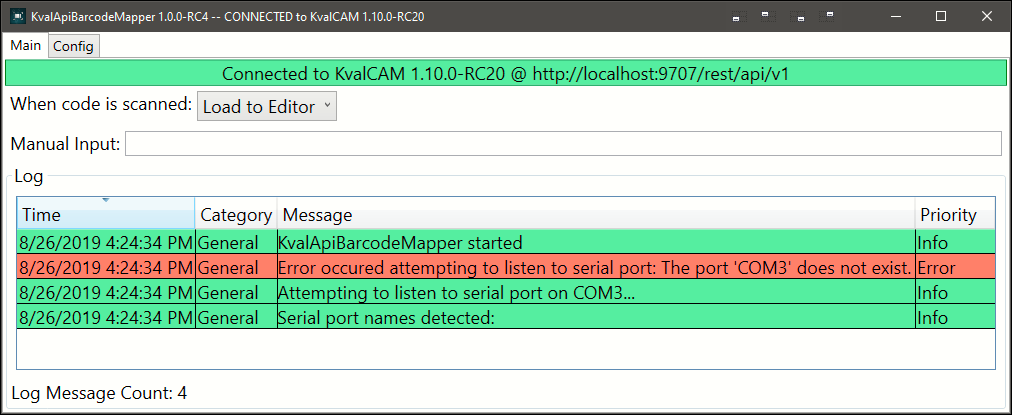
The Barcode Mapper Application uses the following technology to create a door job from a barcode:
| Term | Description |
|---|---|
| RegEx | Using RegEx patterns you can match a barcode string, parse a code, and target specific locations in a given string. |
| JSON | The format used to represent door data. |
| J-Path | Selects part(s) of the job for modification in any action. |
Lifecycle
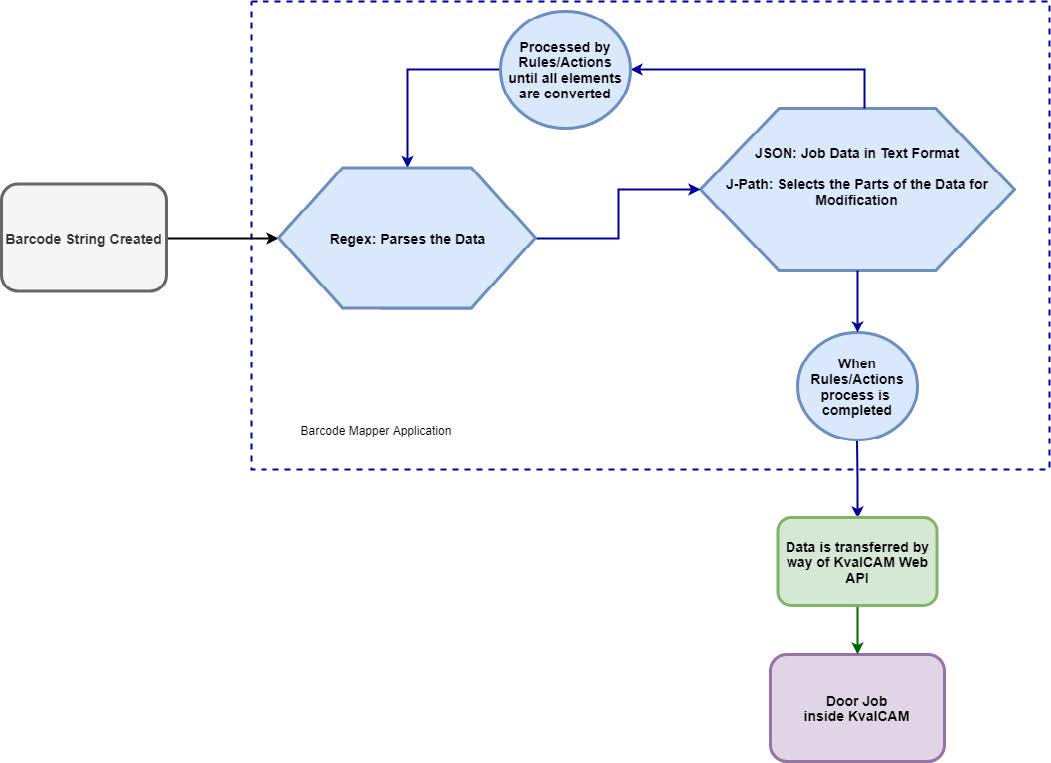
The flowchart below illustrates the basic process of the Barcode Mapper Application.
Barcode Creation
Barcodes are symbols containing door specifications that can be scanned electronically using laser or camera-based systems. Most commonly the barcode is created by a CRM or ERP system at the factory.
NOTE
The Barcode Mapper Application does not read the barcode but listens to a serial port from a hardware barcode reader. The application analyzes the data and passes the required data to the KvalCAM host.
Regex
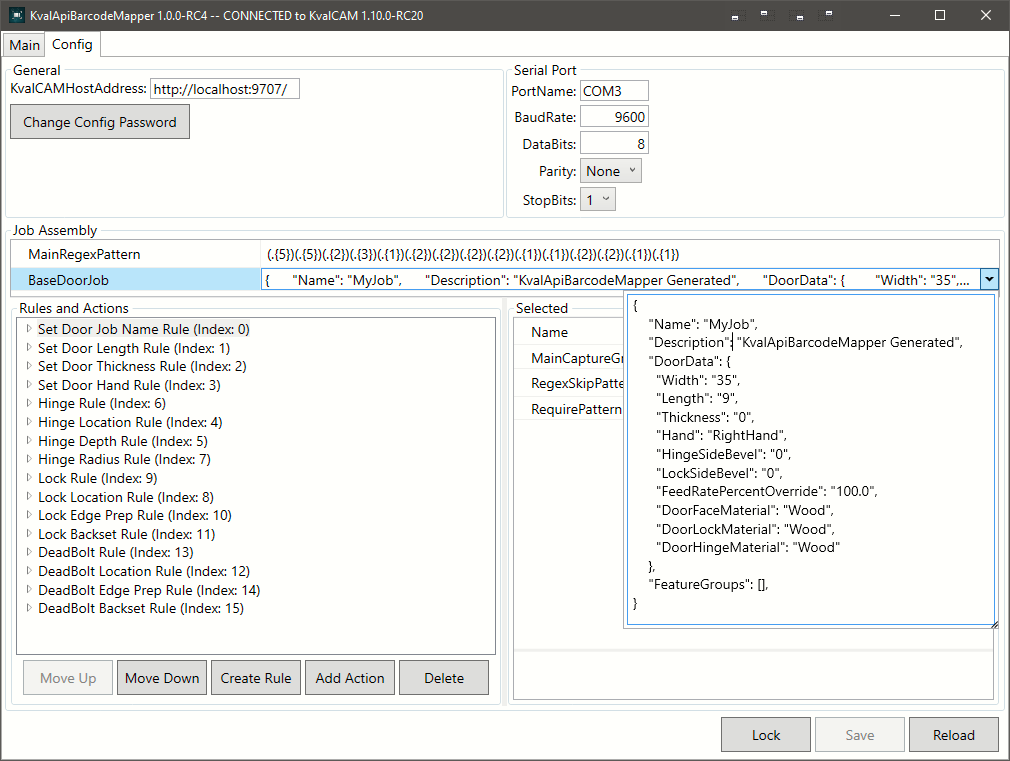
Regex is a sequence of characters that define a search pattern. In this application, Regex parses the door data to be processed by JSON and J-Path. Below is a sample of Regex from the Config Page.
There are a plethora of online tools that can be used to learn regex, we like regexr.com.

JSON & J-Path
JSON (JavaScript Object Notation) is a method to store information in an organized, easy-to-access manner.JSON is a widely used data format for data interchange. It is structured to be easily processed by a computer program, and due the text characteristics it can easily be understood by humans.
J-Path selects properties of a JSON object to be edited/updated from the input barcode string. J-Path is used by Actions, located on the Config page, to edit the JSON code to be sent to KvalCAM.
Door Job
The door job is a package of door specifications and door process parameters. This information is then used to process a door by KvalCAM driving the machine. The information created by the Barcode Mapper Application is either inserted into KvalCAM for editing or put into the queue for direct processing.