
Validation
Before a Door Job can be sent to the machines, KvalCAM validates every Feature in it. Validation checks the capabilities of each machine in the line and the tools currently loaded, to confirm the line can make every cut.
- If at least one machine in the line can make each Feature, the job is valid and Add to Queue is enabled.
- If any Feature fails, it's outlined in the Feature Tree and highlighted in the Job Preview, and Add to Queue is disabled.
Failed Features are shown in one of two colors:
- Orange: a validation error. The expressions evaluate, but no machine in the line can make the cut, for example because no loaded tool fits.
- Red: an evaluation error. An expression can't be evaluated to a number, for example because it has a typo or refers to a property that doesn't exist.
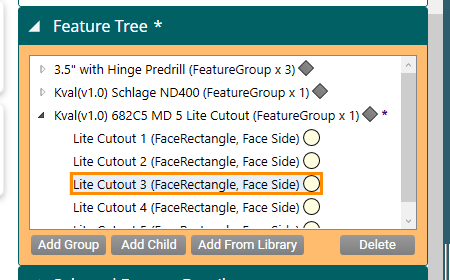
Validation Report
The Validation Report shows exactly why a Feature failed. Select Validation Report at the bottom of the Door Job screen to open it.
The report lists the tests each Feature went through, at each of the group's locations and on each machine in the line, and whether each test PASSED or FAILED. Select a test to see a description of what it checks, then correct the Feature.
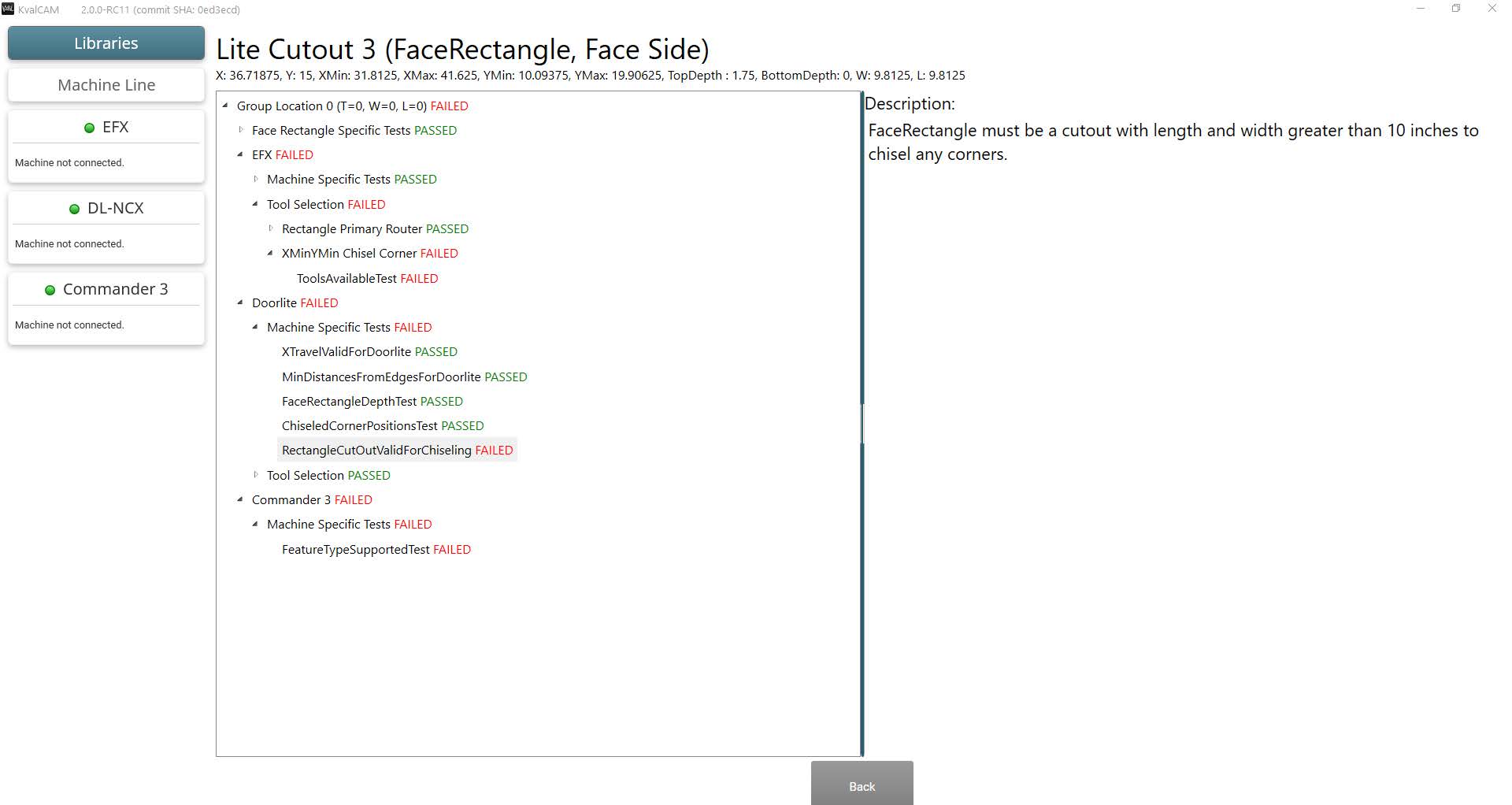
In this example, the lite cutout fails on all three machines in the line. On the Doorlite machine, selecting the failed RectangleCutOutValidForChiseling test explains that a FaceRectangle must be a cutout larger than 10″ in length and width to chisel its corners.
WARNING
Validation is only as accurate as the information it's given. Inaccurate tool configurations, calibrations, or library data, such as the wrong door material, can produce unexpected results that could damage the machine or injure the operator.
NOTE
In rare cases, a cut can pass validation but not match the preview. If that happens, contact Kval support.