Tee Shape
A TeeShape cuts a Tee-shaped pocket into an edge: a narrow Tee at the surface over a wider Main body below it. This example is a lock plate on the lock edge, using the same Feature Group location as the lock example: 44″ from the top.
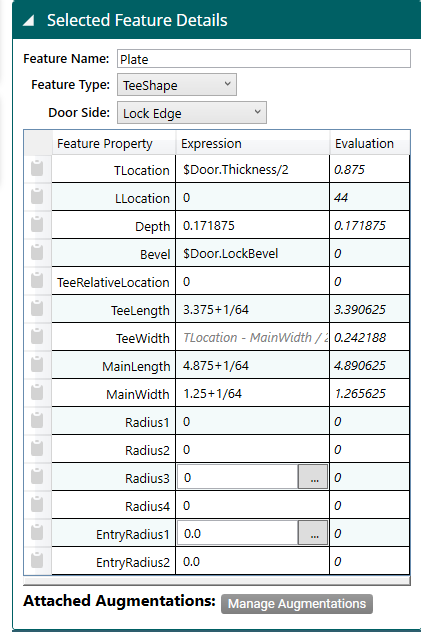
| Property | Expression | Value | Why |
|---|---|---|---|
| TLocation | $Door.Thickness/2 | 0.875 | Centers the cut across the edge |
| LLocation | 0 | 44 | Uses the group's location |
| Depth | 0.171875 | 0.171875 | Depth of the cut |
| Bevel | $Door.LockBevel | 0 | Matches the bevel of the lock edge |
| TeeRelativeLocation | 0 | 0 | Tee centered on the Main body |
| TeeLength | 3.375+1/64 | 3.390625 | Length of the Tee, plus 1/64″ clearance |
| TeeWidth | TLocation - MainWidth / 2.0 | 0.242188 | Calculated from TLocation and MainWidth |
| MainLength | 4.875+1/64 | 4.890625 | Length of the Main body, plus 1/64″ clearance |
| MainWidth | 1.25+1/64 | 1.265625 | Width of the Main body, plus 1/64″ clearance |
| Radius1 – Radius4 | 0 | 0 | Square corners on the Main body |
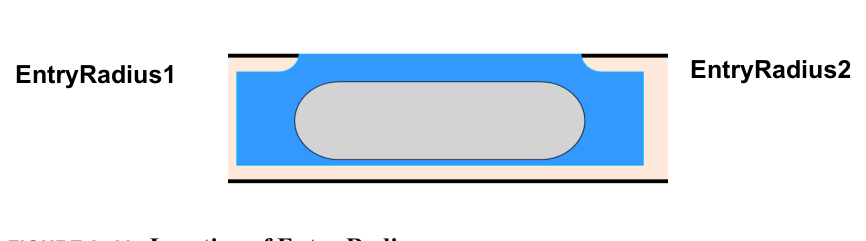
| EntryRadius1, EntryRadius2 | 0 | 0 | Square corners on the Tee |
How Each Property Shapes the Cut
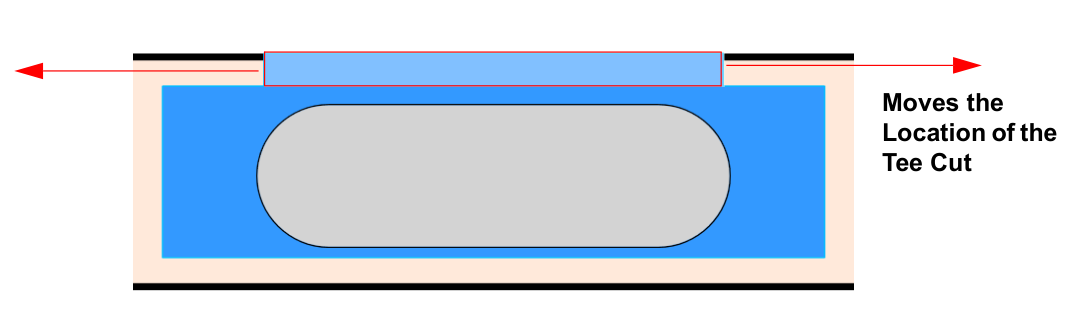
TeeRelativeLocation
Moves the Tee toward the top or bottom end, measured from the center of the Main body. Used for features like olive hinges, where the Tee isn't centered.
TeeLength and TeeWidth
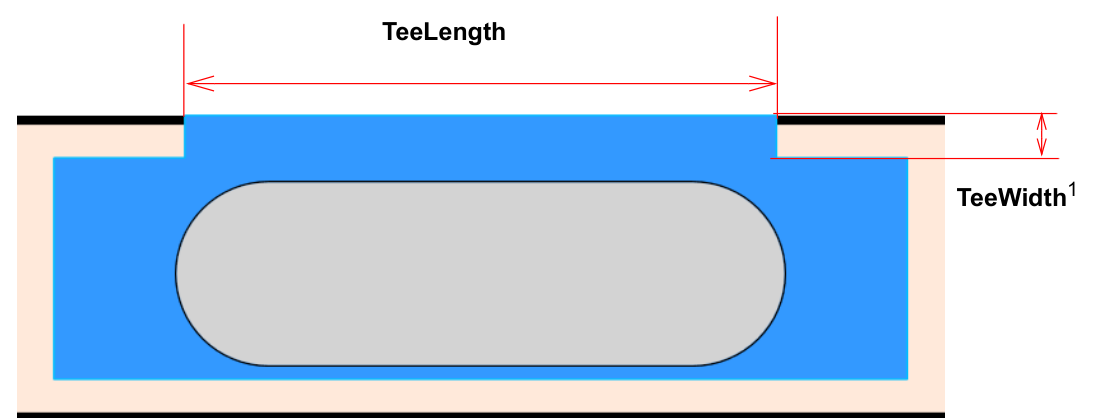
Set the size of the Tee. TeeWidth is always calculated as TLocation - MainWidth / 2.0, so it changes whenever MainWidth does.
MainLength and MainWidth
Set the size of the Main body.
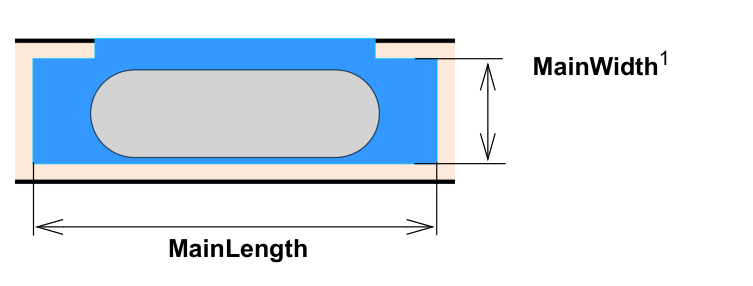
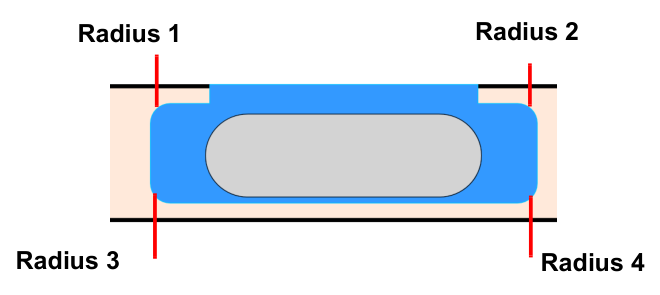
Radius1 – Radius4
Round the corners of the Main body. Here each is set to 0.25″:
EntryRadius1 and EntryRadius2
Round the corners of the Tee. Here each is set to 0.25″: