
Face Rectangle
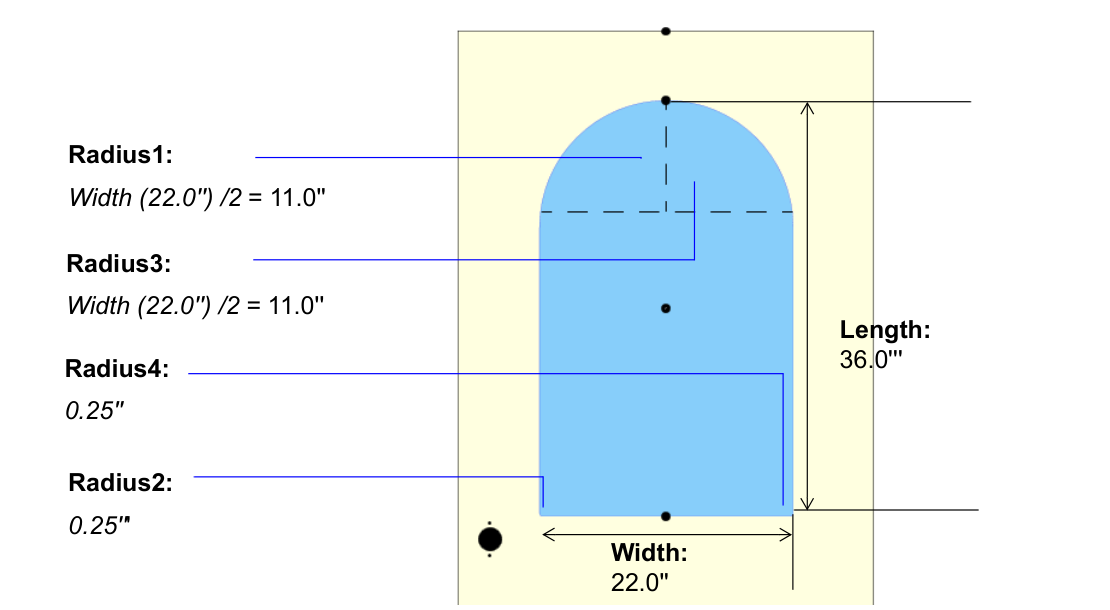
This example cuts a round-top lite through a 36″ wide door: a 22″ × 36″ FaceRectangle whose two top corners have radii of half its width, making a semicircle.
The Feature Group's structure:
- Rectangle Round Top Lite (FeatureGroup × 1)
- Lite Cutout (FaceRectangle, Face)
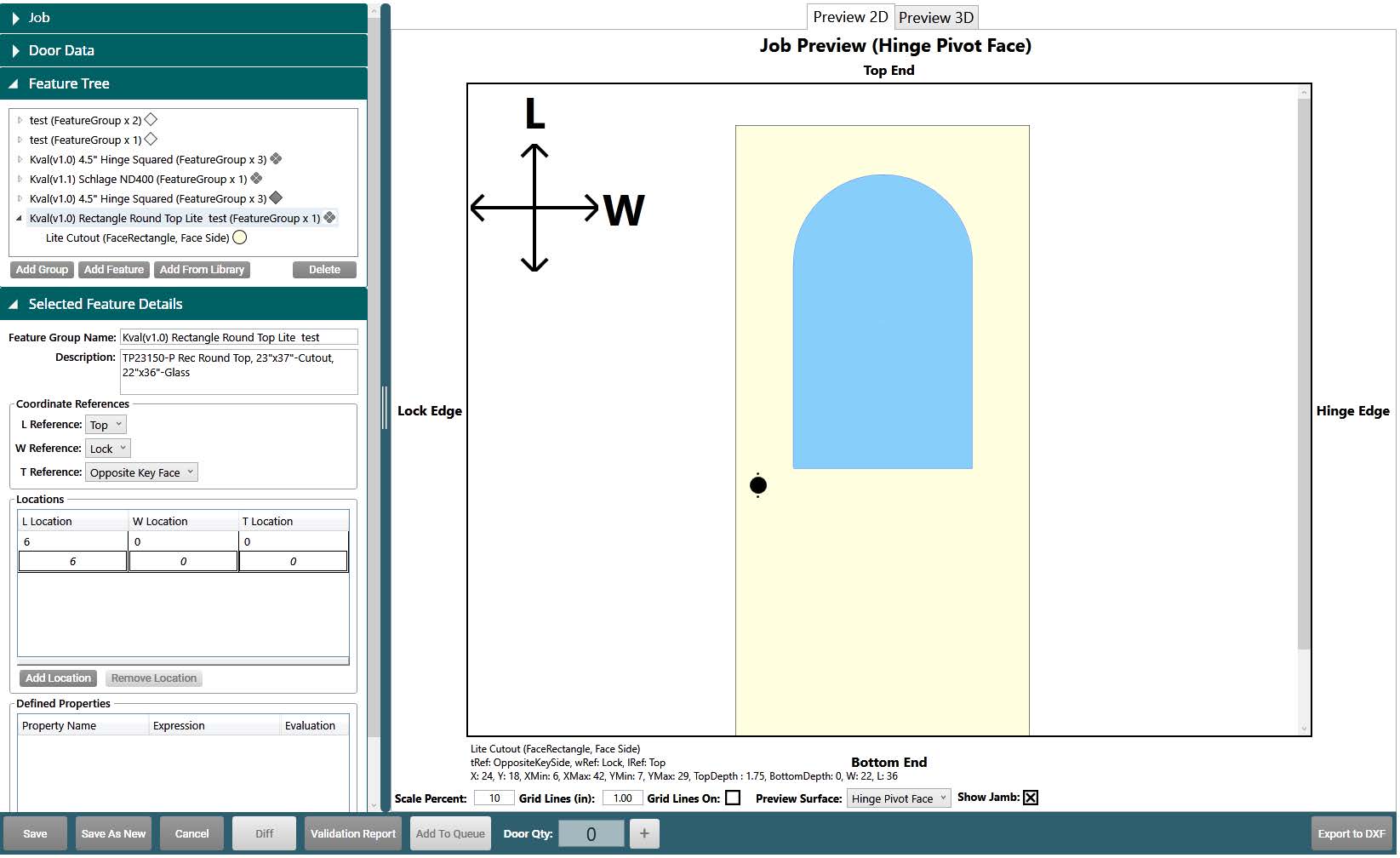
The Feature Group
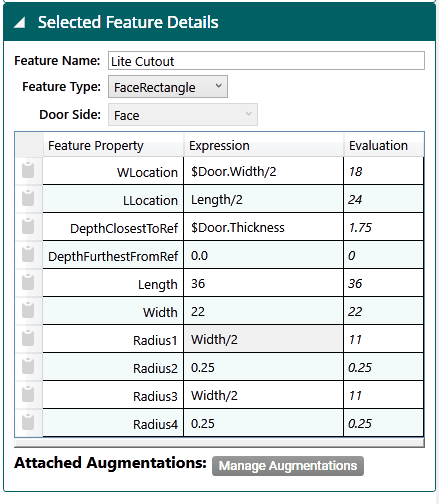
- Coordinate References: L (length) from the Top, W (width) from the Lock edge, and T (thickness) from the Hinge Pivot Face.
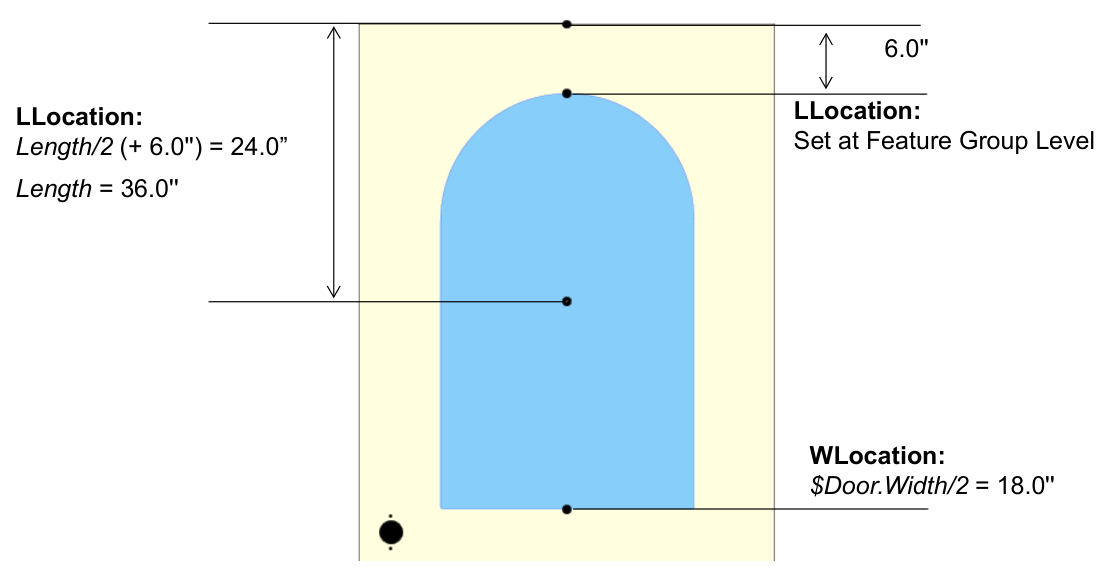
- Locations: one location, 6″ from the top. This is where the top of the lite starts.
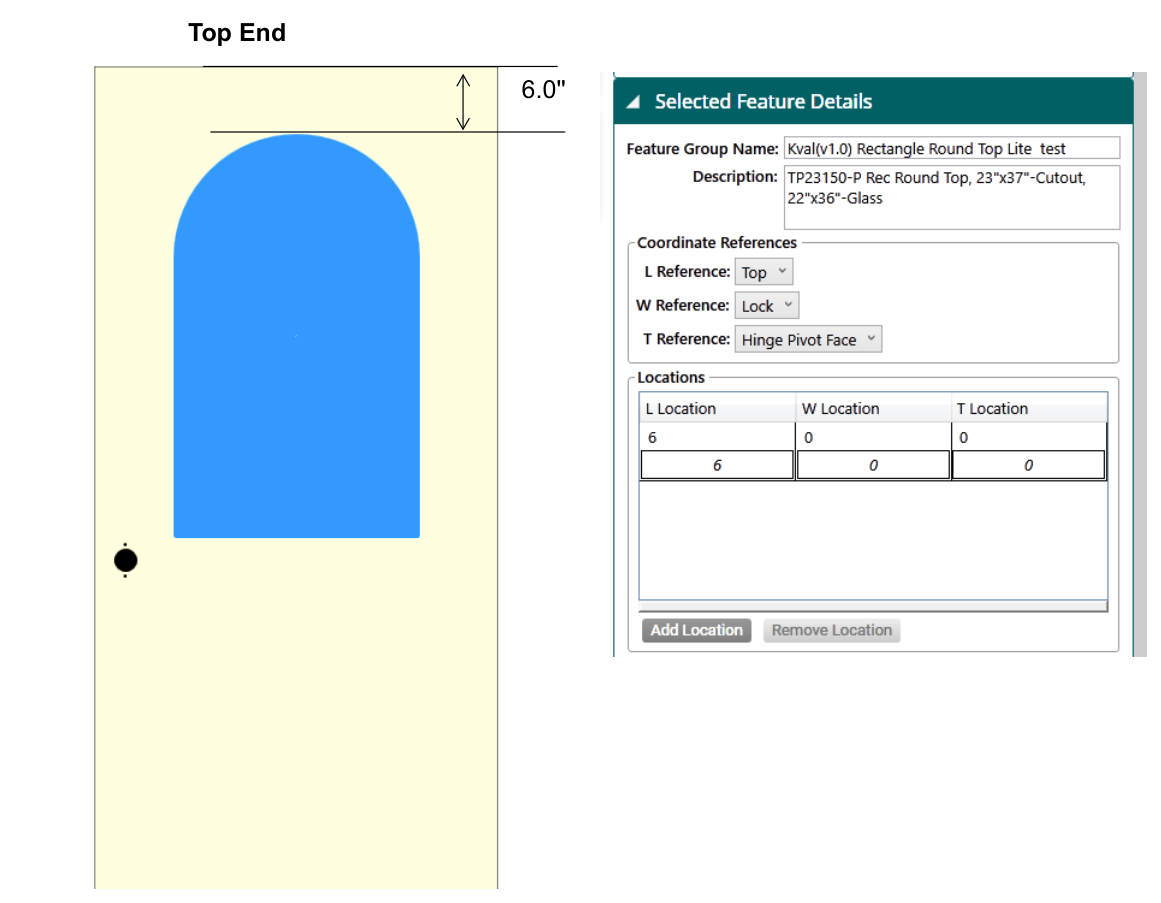
Lite Cutout
The Lite Cutout is a FaceRectangle on the Face.
| Property | Expression | Value | Why |
|---|---|---|---|
| WLocation | $Door.Width/2 | 18 | Centers the lite across the door's width |
| LLocation | Length/2 | 24 | Puts the top of the lite at the group's location: 6 + 36 / 2 = 24 |
| DepthClosestToRef | $Door.Thickness | 1.75 | Cuts all the way through |
| DepthFurthestFromRef | 0.0 | 0 | |
| Length | 36 | 36 | Height of the lite |
| Width | 22 | 22 | Width of the lite |
| Radius1, Radius3 | Width/2 | 11 | The two top corners, which together make the semicircle |
| Radius2, Radius4 | 0.25 | 0.25 | The two bottom corners |
Because the expressions use $Door.Width, Length, and Width, the lite stays centered with a true semicircular top if you change the door or lite size.
| Location | Dimensions |
|---|---|
 |  |