Introduction
These examples build common Feature Groups step by step, and explain how each value is worked out:
- Lock: a cylindrical lock with an edge plate, plunge, predrills, and face bore.
- Tee Shape: a Tee-shaped lock pocket.
- 3.5″ Hinges: three hinges with predrill holes, on the door and jamb.
- Face Rectangle: a round-top lite cut through the door.
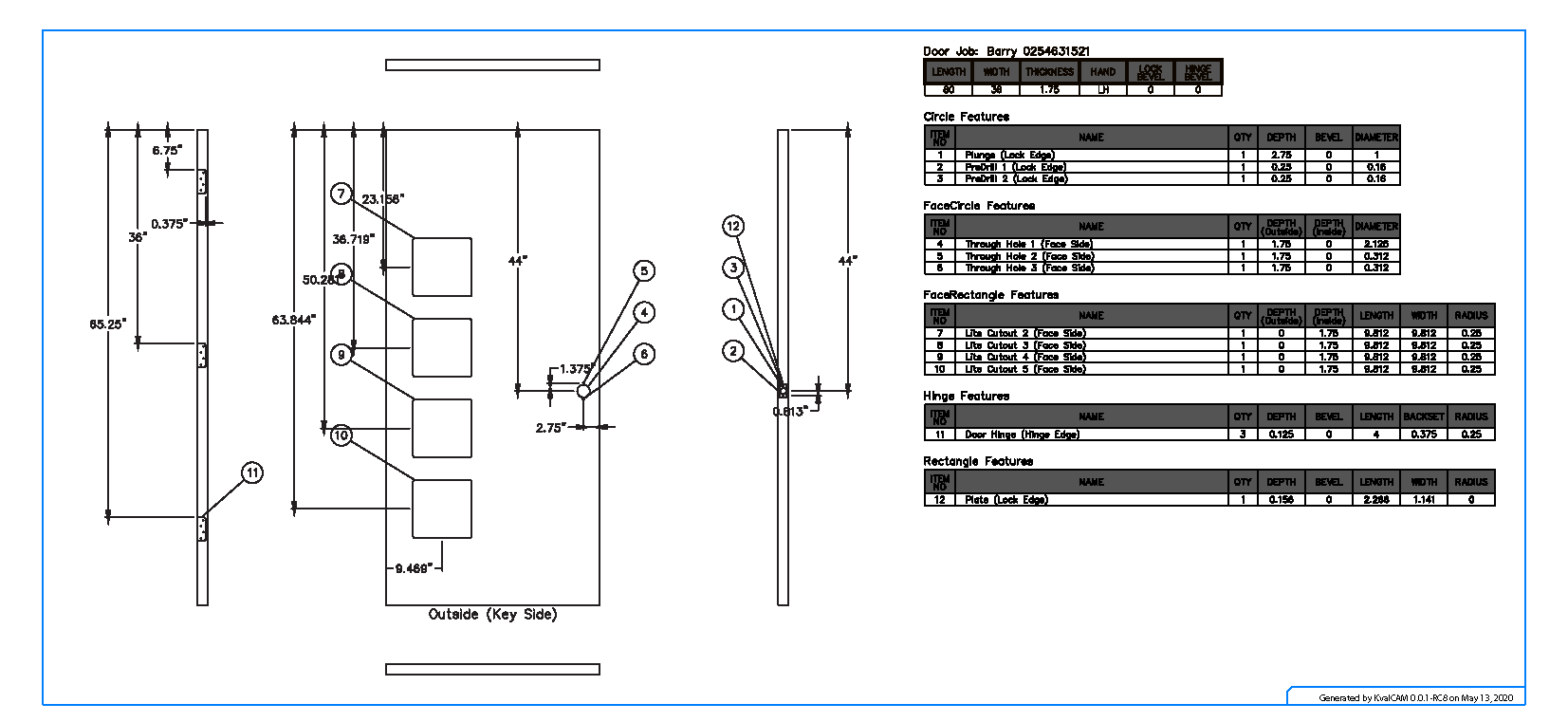
The Walkthrough puts several of these together into a complete Door Job, following the blueprint below.
Tools
- Laptop, PC, or Operator Station with KvalCAM installed.
- EFX DL-NCX loaded
NOTE
Although we're using an EFX line in this example each Feature may be adapted to use on different machines.
In most cases completed door files are created beforehand and are stored in the KvalCAM Libraries. Door Jobs are then created by combining each file. This is an exercise to highlight the building blocks of creating a Door Job file.
Getting Started
In the next section we'll be manually creating a Door Job following a blueprint sent from the ABC Company. This is a heavy-duty architectural door that will be processed on the EFX/DL-NCX line.
Blueprint
Feature Groups
Feature Groups can be thought as a container that holds the cut routines to be performed on the door. These cuts are identified as Children (Templates).
From the Feature Library, Feature Groups can be pulled into different Door Jobs. Templates can be altered or cloned as new templates giving immense versatility to create a Door Job.
Using the sample blueprint, the door cut routines can be separated into three Feature Groups. Under each Feature Group are children (Features) that represent aspects of the cut. Create the feature groups below:
- Lock Feature Group
- Hinge Feature Group
- Door Lite Feature Group
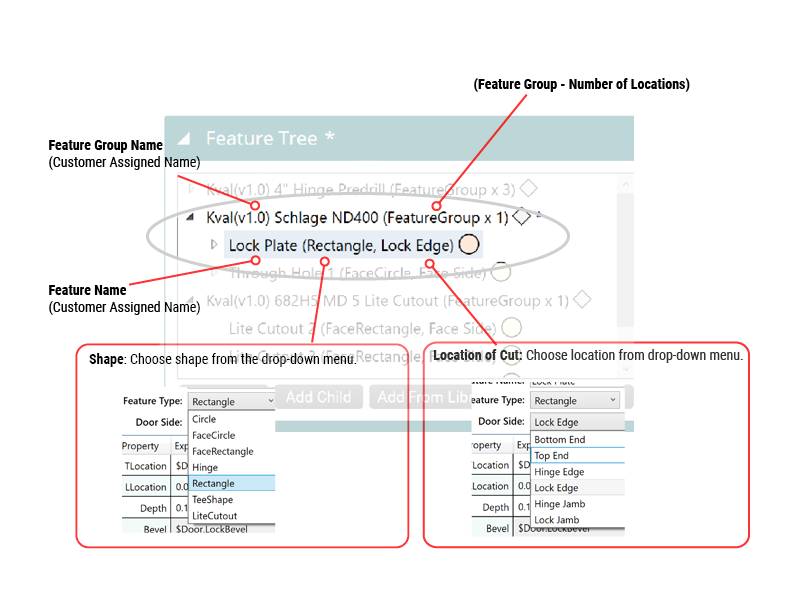
Breakdown of a Feature Group and Features
Feature Groups and Features resemble an outline.
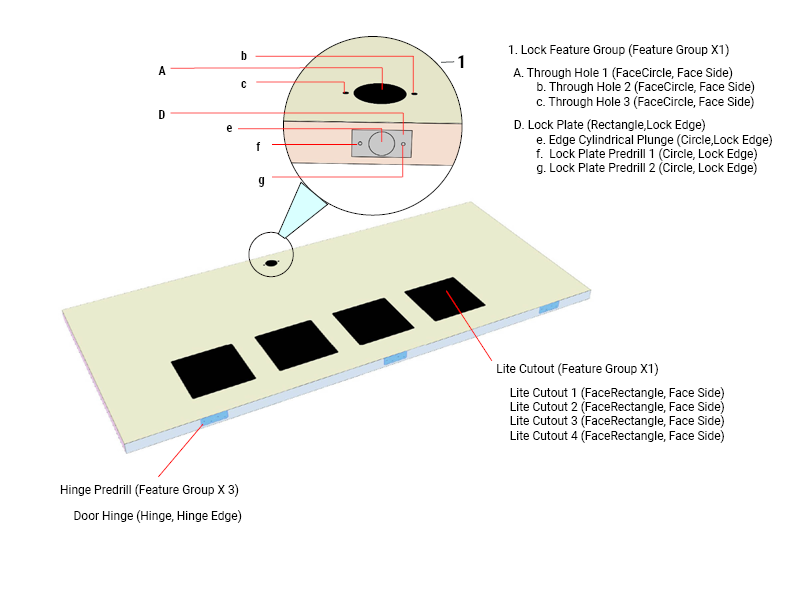
3D Preview
In the drawing below, the three Feature Groups are listed . (Lock Feature Group, Lite Cutout, and the Hinge Predrill)
TIP
Look at the Lite Feature Group and the Hinge Predrill Group. Both use repeated cuts: the Hinge Predrill repeats the cut at Feature Group level, assigning different locations, and the Lite Cutout repeats the cut as children with different locations.
Both ways are correct, use the method that suits your factory's process.