
3.5″ Hinges
This example cuts three 3.5″ hinge mortises with predrill holes into the door's hinge edge, and matching mortises into the hinge jamb. One Hinge Feature is cut at three locations, so changing it changes all three hinges.
The Feature Group's structure:
- 3.5″ Hinge with Predrill (FeatureGroup × 3)
- Door Hinge (Hinge, Hinge Edge)
- Jamb Hinge (Hinge, Hinge Jamb)
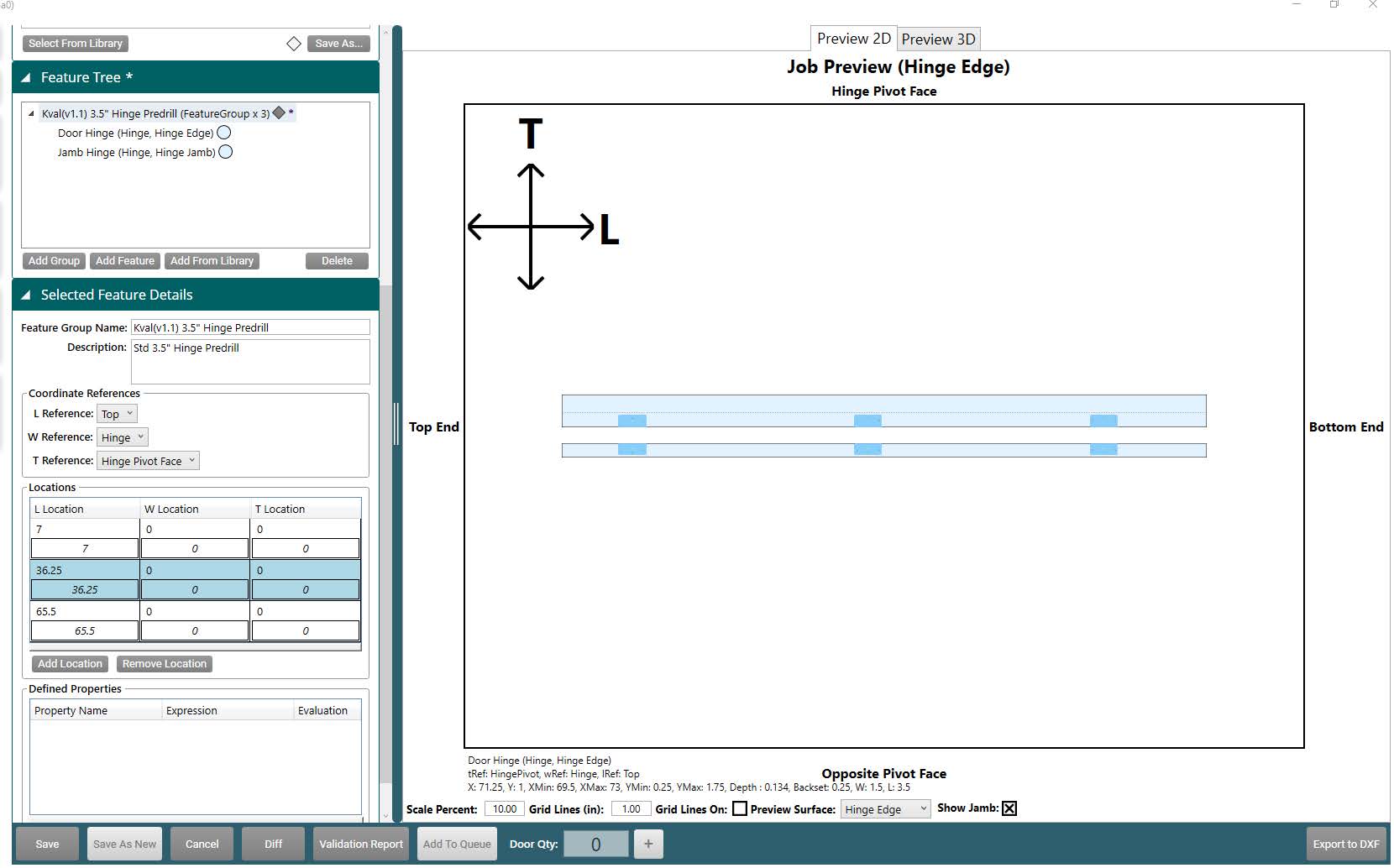
The Feature Group
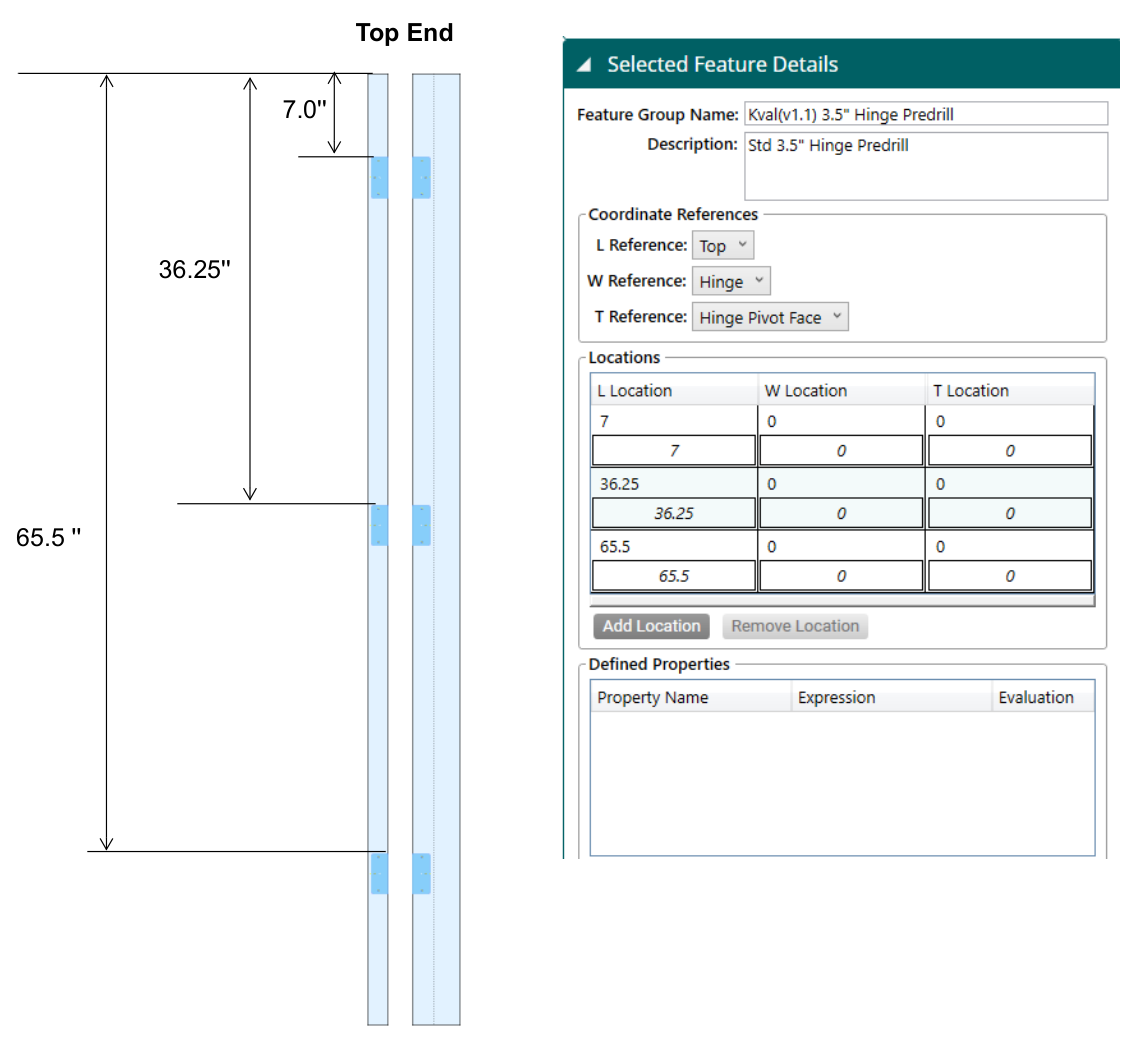
- Coordinate References: L (length) from the Top, W (width) from the Hinge edge, and T (thickness) from the Hinge Pivot Face.
- Locations: three locations, at 7″, 36.25″, and 65.5″ from the top. The hinge is cut once at each.
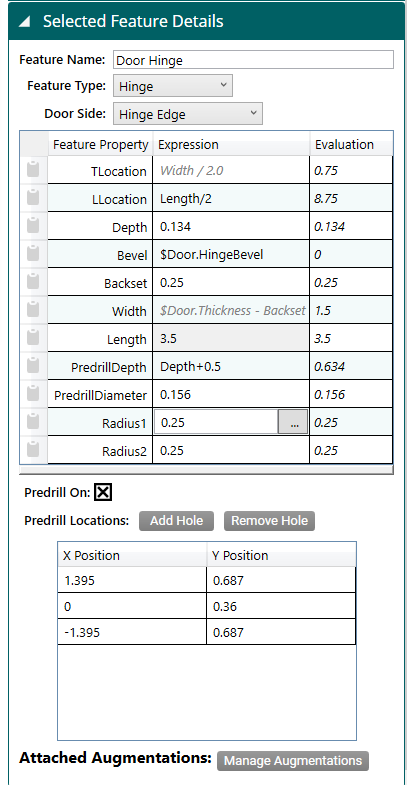
Door Hinge
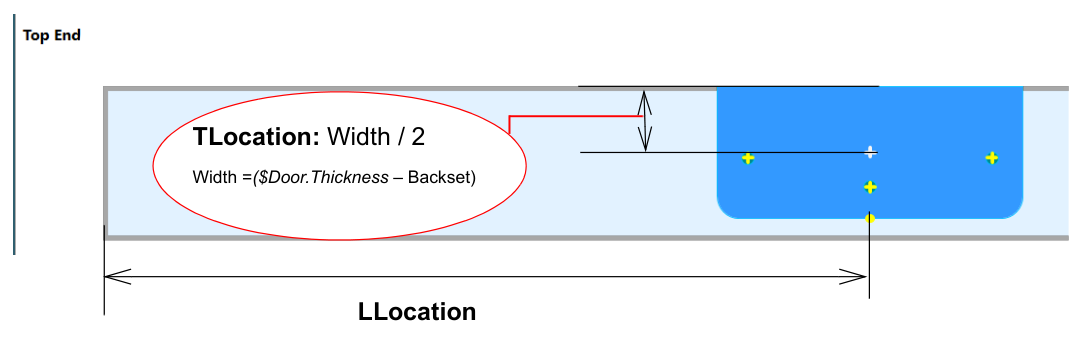
The Door Hinge is a Hinge on the Hinge Edge.
| Property | Expression | Value | Why |
|---|---|---|---|
| TLocation | Width / 2.0 | 0.75 | Calculated: centers the mortise across its width |
| LLocation | Length/2 | 8.75 | Puts the top of the hinge at the group's location: 7 + 3.5 / 2 = 8.75 for the first hinge |
| Depth | 0.134 | 0.134 | Mortise depth, the hinge leaf's thickness |
| Bevel | $Door.HingeBevel | 0 | Matches the bevel of the door's hinge edge |
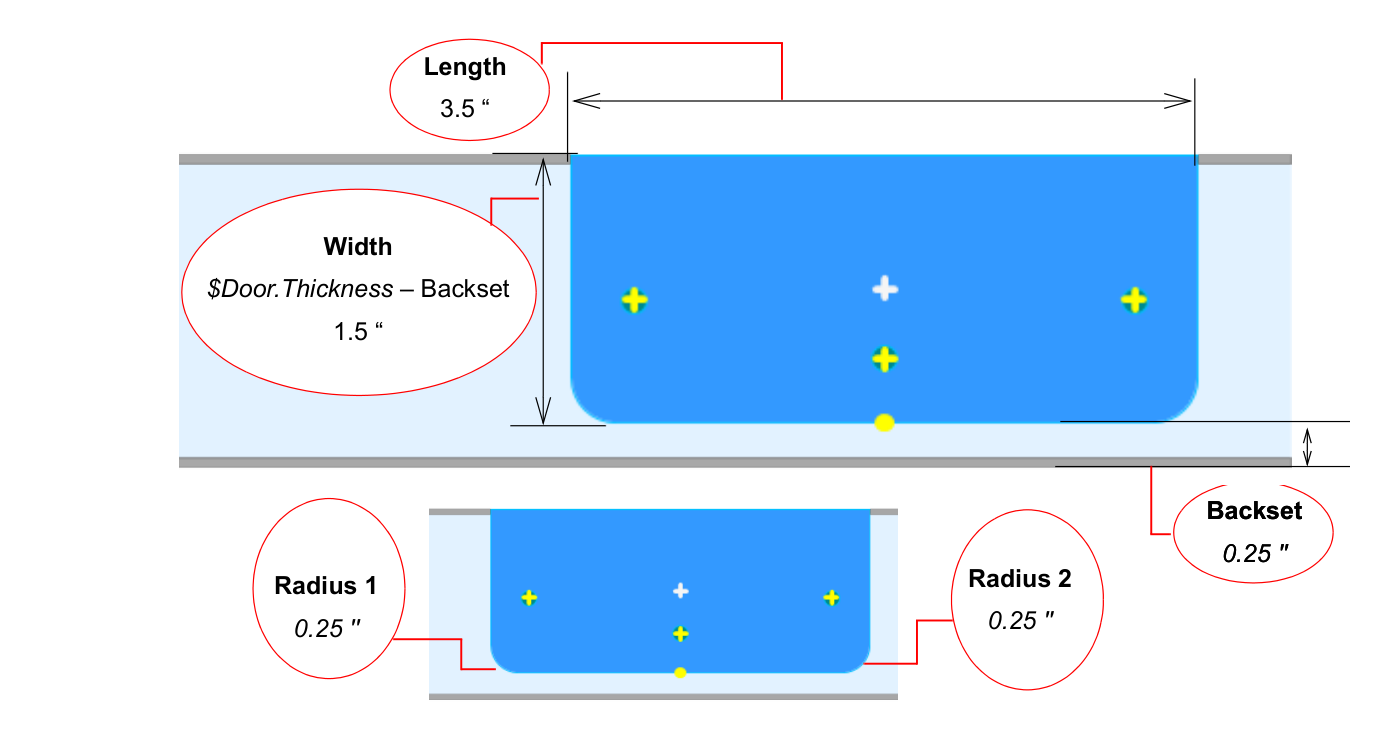
| Backset | 0.25 | 0.25 | Leaves 0.25″ uncut at the far face |
| Width | $Door.Thickness - Backset | 1.5 | Calculated: 1.75 − 0.25 |
| Length | 3.5 | 3.5 | Hinge length |
| PredrillDepth | Depth+0.5 | 0.634 | Drills 0.5″ below the bottom of the mortise |
| PredrillDiameter | 0.156 | 0.156 | Screw hole diameter |
| Radius1, Radius2 | 0.25 | 0.25 | Rounded corners |
Predrill Holes
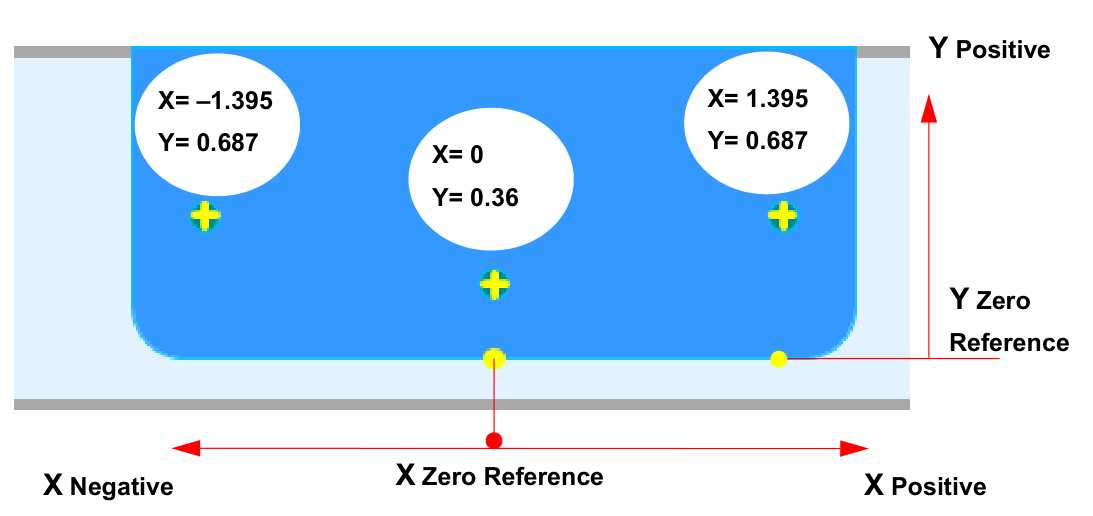
Select Predrill On, then add three holes under Predrill Locations. Positions are measured from the bottom middle of the hinge: X along its length, Y across it.
| X Position | Y Position |
|---|---|
| 1.395 | 0.687 |
| 0 | 0.36 |
| -1.395 | 0.687 |
Jamb Hinge
The jamb needs a matching mortise at each location. Rather than building it from scratch, copy the Door Hinge:
- Right-click Door Hinge in the Feature Tree and select Copy.
- Right-click the hinge Feature Group and select Paste.
- In the pasted Feature's details, change the Feature Name to
Jamb Hingeand the Door Side to Hinge Jamb.
The properties carry over, and the jamb's predrill holes are cut as a mirror image of the door's. Make sure the jamb data is enabled so the jamb is processed.